



This guide will take you through the steps to activate Office 2024, ensuring a smooth and secure setup of your Microsoft Office suite.
Which Office 2024 do you have? This guide is for Office 2024 Home and Office 2024 Home & Business, which you redeem at setup.office.com. Office 2024 Professional Plus (LTSC) installs differently, with Microsoft’s Office Deployment Tool, and the exact steps are on its product page. Don’t have a key yet? Compare the editions on our Office 2024 keys page.
Step 1: Go to Office download link
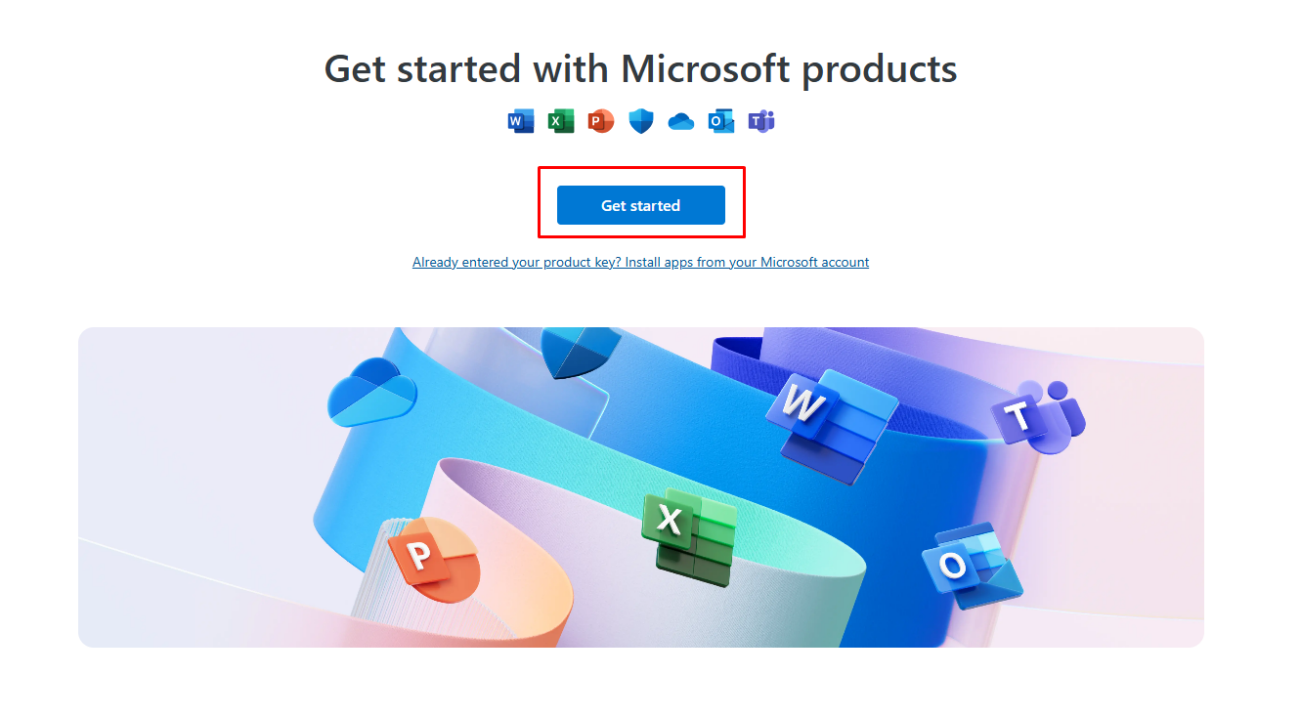
Visit https://setup.office.com and select the ‘Get Started’ option.
Step 2: Sign in with your Microsoft Account
After clicking the “Get Started” button, you will need to sign in with your Microsoft account.
- No account yet? Select ‘Create a new account’ to get started in just a few steps.
Step 3: Enter the Product Key
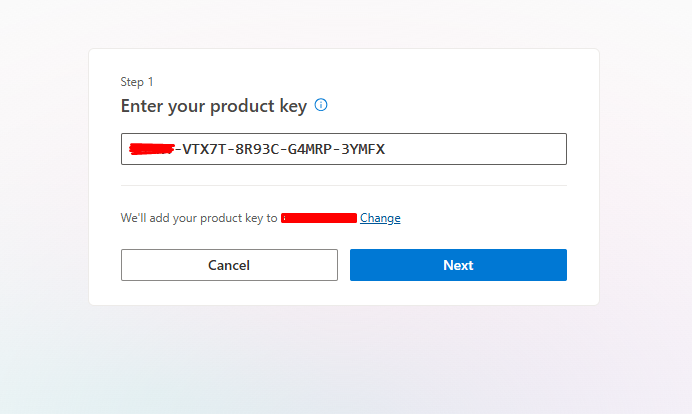
Input the product key for Office 2021 that you’ve purchased, then select ‘Next’ to proceed.
- If you haven’t bought a key yet, you can get one from cheapkeys.io.
Step 4: Choose Language and Redeem
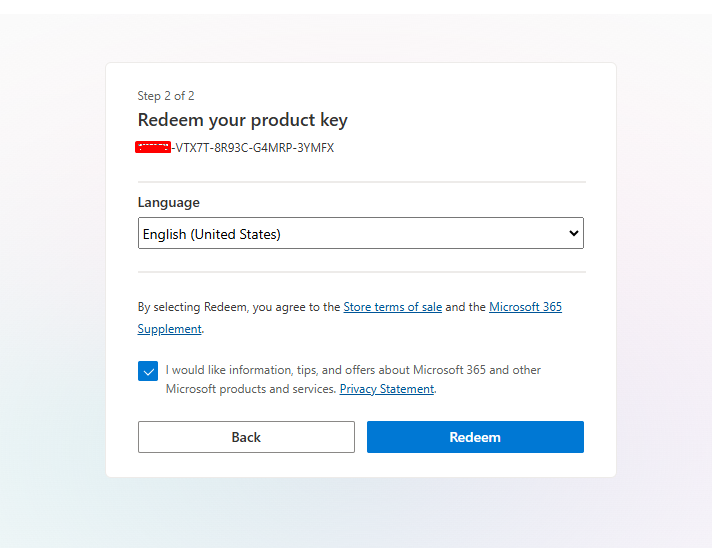
Select your desired language and click ‘Redeem’.
- After redemption, the download will start automatically.
Step 5: Install Office 2024
Once the download finishes, locate and open the setup file to begin installing Office 2024. Follow the on-screen instructions to complete the installation process.
Step 6: Launch Office 2024
Once Office 2024 is installed, open any Office app (e.g., Word, Excel, or PowerPoint).
Step 7: Activate
Once launched, the activation wizard will appear automatically, guiding you through the final steps to complete the activation process.
- If prompted, sign in with the same Microsoft account you used to purchase Office 2024, then choose “I want to activate the software over the internet” and click “Next“
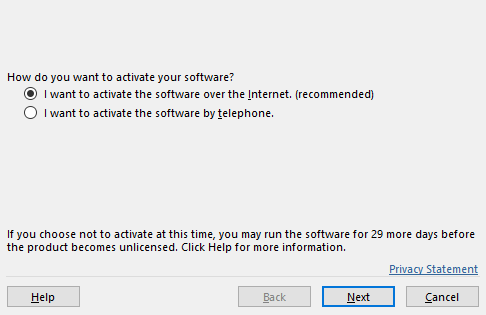
- This will activate your product automatically and you can now start using all the features of Office 2024.
Resolving Activation Problems
If you need help or face any issues, please reach out through our live chat at https://cheapkeys.io/ or email us at support@cheapkeys.io. Our dedicated support team is available 24/7 to help you out.