What you get
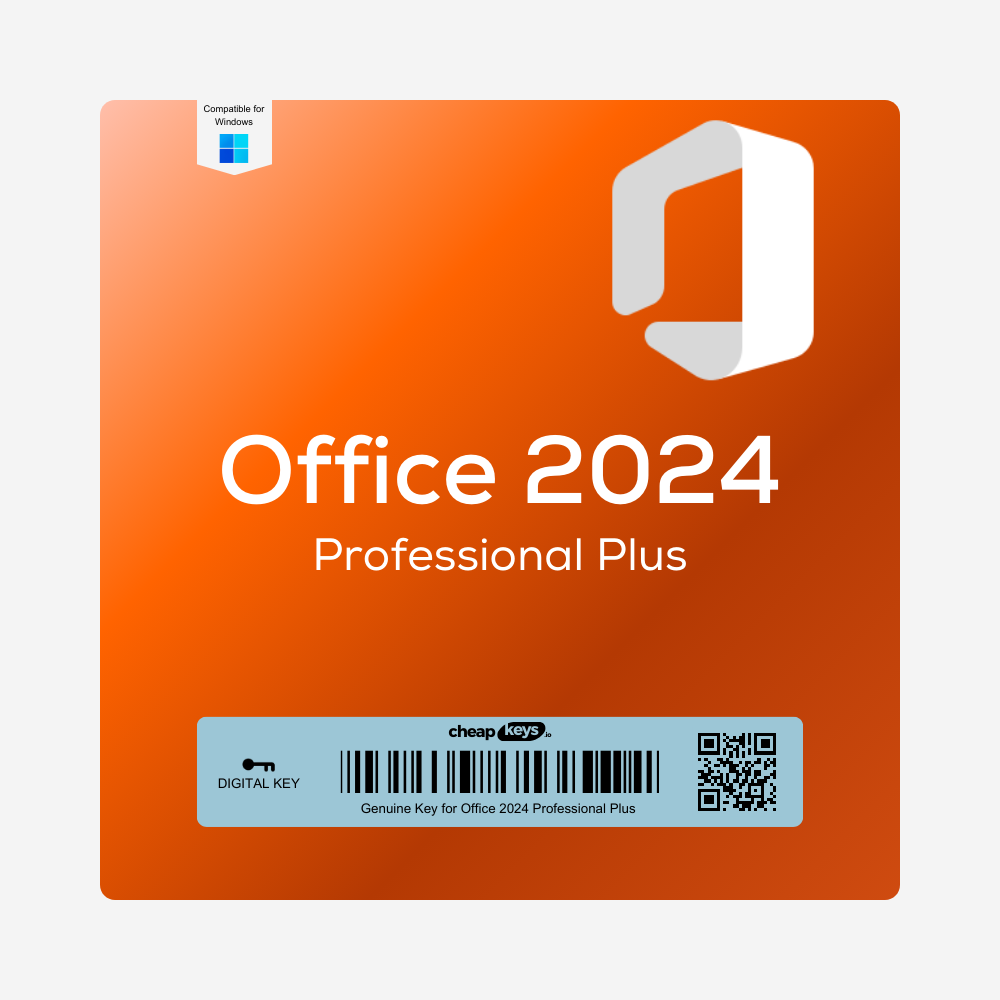
After payment you receive your 25-character Office 2024 Professional Plus product key by email, instantly in most cases (a system delay can occasionally add 5–10 minutes). The email includes the download link and our step-by-step install guide, and the key is also saved under My Account → Keys in case the email lands in your spam folder.
What is Office LTSC 2024 Professional Plus?
LTSC stands for Long-Term Servicing Channel. It’s the one-time-purchase Office that Microsoft makes for organisations: the apps stay the same version, and Microsoft sends security updates until 9 October 2029. You don’t get the monthly feature updates, cloud storage or Copilot that come with a Microsoft 365 subscription, and you never pay again.
What’s included
- Word, Excel, PowerPoint, Outlook, OneNote and Access
- Not included: Publisher (it isn’t part of Office 2024) and Teams (a free, separate download)
- Windows 10 and Windows 11, 32-bit or 64-bit. Not for Mac: for a Mac, see Office 2024 Home & Business.
License and activation
This is an Office LTSC 2024 Professional Plus key for one PC. It activates online, once, and the activation lasts for the lifetime of that PC. It can’t be moved to another computer, and it can’t be activated again after a hardware change on the same PC (for example a new motherboard). Install it on the PC you plan to keep using. If you need a license you can move between computers, choose Office 2024 Home & Business or Office 2024 Home, which are linked to your Microsoft account.
Is it genuine? Why is it cheaper than Microsoft’s price?
Yes. It’s a genuine Microsoft key, and it activates on Microsoft’s own activation servers. We buy unused keys from companies that purchase Microsoft licenses in large batches and have more than they need. We get that surplus for a fraction of the retail price and pass the saving on to you.
We state the license type, activation method and device limit before you buy, and the key you receive is exactly the one described: an Office LTSC 2024 Professional Plus key for one PC, activated online.
How to install Office LTSC 2024
Office LTSC installs with Microsoft’s Office Deployment Tool (ODT), not from setup.office.com. It takes about 10 minutes:
- Uninstall any other Office version first, including a preinstalled Microsoft 365 trial (Settings > Apps).
- Download the Office Deployment Tool from Microsoft and run it. It extracts
setup.exe into a folder, for example C:\ODT.
- In that folder, create a file named
configuration.xml with this content (change the language code if you want another language):
<Configuration>
  <Add OfficeClientEdition="64" Channel="PerpetualVL2024">
    <Product ID="ProPlus2024Volume">
      <Language ID="en-us" />
    </Product>
  </Add>
  <Display Level="Full" AcceptEULA="TRUE" />
</Configuration>
- Open Command Prompt in that folder and run:
setup.exe /configure configuration.xml
- When the installation finishes, open Word and go to File > Account > Change Product Key, then enter your key. No “Change Product Key” link? Open Command Prompt as administrator and run
cscript "C:\Program Files\Microsoft Office\Office16\OSPP.VBS" /inpkey:YOUR-KEY, then run it again with /act in place of /inpkey:YOUR-KEY.
Stuck at any step? Contact us on live chat and we’ll walk you through the installation.
If activation fails
- “This product key can’t be used” or the key doesn’t fit: a retail or Microsoft 365 version of Office is probably installed. Uninstall it and install again with the steps above.
- Anything else: contact us within 15 days of your order, on live chat or at support@cheapkeys.io. We’ll fix it or replace the key, and if no working solution is possible, you get a refund under our refund policy.
Office 2024 Professional Plus, Home & Business or Microsoft 365?
|
Professional Plus (LTSC) |
Home & Business 2024 |
Microsoft 365 |
| Payment |
One-time |
One-time |
Yearly subscription |
| Access |
Yes |
No |
Yes (Windows) |
| Mac |
No |
Yes |
Yes |
| Move to a new computer |
No, stays on one PC |
Yes, through your Microsoft account |
Yes |
| Updates |
Security updates until Oct 2029 |
Security updates until Oct 2029 |
New features every month |
| Copilot / 1 TB OneDrive |
No |
No |
Yes |
System requirements
- Operating system: Windows 10 or Windows 11
- Processor: 1.1 GHz or faster, 2 cores
- Memory: 4 GB RAM
- Disk space: 4 GB available
- Display: 1280 × 768 resolution (4K screens need the 64-bit version)
- An internet connection to download and activate
Specifications
| Product |
Microsoft Office LTSC Professional Plus 2024 |
| Apps |
Word, Excel, PowerPoint, Outlook, OneNote, Access |
| License type |
LTSC, one PC, lifetime activation for that PC |
| Activation |
Online, once; can’t be moved to another computer |
| Platform |
Windows 10 and 11, 32-bit or 64-bit |
| Languages |
All Office LTSC 2024 languages (set in configuration.xml) |
| Installation |
Microsoft Office Deployment Tool |
| Delivery |
Instant, by email and under My Account → Keys |
| Microsoft support until |
9 October 2029 |
Frequently asked questions
Can I install it on a Mac?
No, Office LTSC 2024 Professional Plus is Windows only. For a Mac, choose Office 2024 Home & Business.
Why can’t I use setup.office.com?
That page is for retail and Microsoft 365 versions. LTSC editions install with the Office Deployment Tool (see the steps above).
How many PCs can I use it on?
One PC per key.
Can I reinstall it or move it to a new PC?
No. The key activates once, on one PC. It can’t be moved to another computer or activated again after a hardware change, so activate it on the PC you plan to keep.
Does it expire?
No. It’s a lifetime license for that PC. Microsoft’s security updates run until 9 October 2029, and after that Office keeps working without updates.
Is it the same as Office 2024 Home & Business?
No. Professional Plus adds Access, runs only on Windows, installs with the Office Deployment Tool and stays on one PC. Home & Business is linked to your Microsoft account and works on Windows or Mac.
Can I install it in another language?
Yes. Change the language code in configuration.xml (for example de-de or fr-fr) before you run the installer.
Can I use it for business?
Yes. Professional Plus is the business edition of Office 2024.
How do I check that Office is activated?
Open Word and go to File > Account. Under Product Information you’ll see “Product Activated” with the product name.
Should I install the 32-bit or the 64-bit version?
64-bit. Microsoft recommends it for computers with 4 GB of RAM or more, and it’s required for 4K screens. Choose 32-bit only if you rely on old 32-bit add-ins: change OfficeClientEdition=”64″ to “32” in configuration.xml.
How fast is delivery?
Instant in most cases: the key arrives by email and appears under My Account → Keys. A system delay can occasionally add 5–10 minutes.



 Brand
Brand License Type
 Delivery
 Overview




Reviews
Clear filtersThere are no reviews yet.